header

How to Avoid Getting Your Email to Spam Folder - Gmail

If you're using Gmail follow the steps below here to make sure you receive all my emails:

PROCEDURE

First and foremost, the user should log in to their Gmail email address.
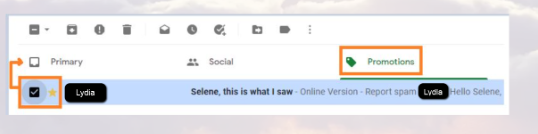
  1. As in the image below, click on the "Promotions" section and see if you see one of the messages appear from me, "Lydia".
  2. gmail
  3. Now, select the message by checking the box in front and clicking on the star. Then drag it to the "Primary" tab. From now on you'll get my messages.

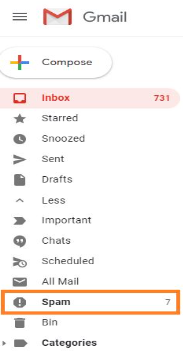
You can also look in the "Spam" folder of your mailbox.
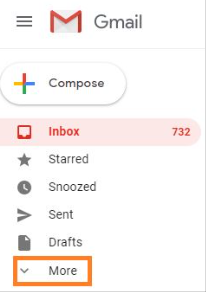
  1. Click on "More" as shown below.
  2. You will now see the "Spam" folder appear. Click on it.
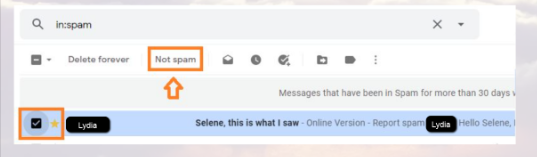
  3. Select the appropriate message by checking the box in front and click on the star. Then click on the "Non spam" button.

From now on you'll get all my messages.

Following these steps, you will be able to receive messages from me. It is recommended to regularly check for messages from me, as they contain important information.

Thank You!

  • Terms & Conditions
  • Privacy Policy
  • Ethical Rules
  • GDPR
  • Cookie Policy
  • Contact
  • Refund